
Best MagSafe Accessories for iPhone 17 Users in 2026
360 views
You bought an iPhone 17, added a magnetic case, and then discovered the annoying part: not every “MagSafe-compatible” accessory behaves like the premium product its listing suggests.
A wallet can twist when you pull the phone from your pocket. A charging stand can be technically compatible but crawl along at a lower power level. A chunky power bank can turn a beautifully slim phone into something that feels like a small brick.
That’s the problem this guide is built around.
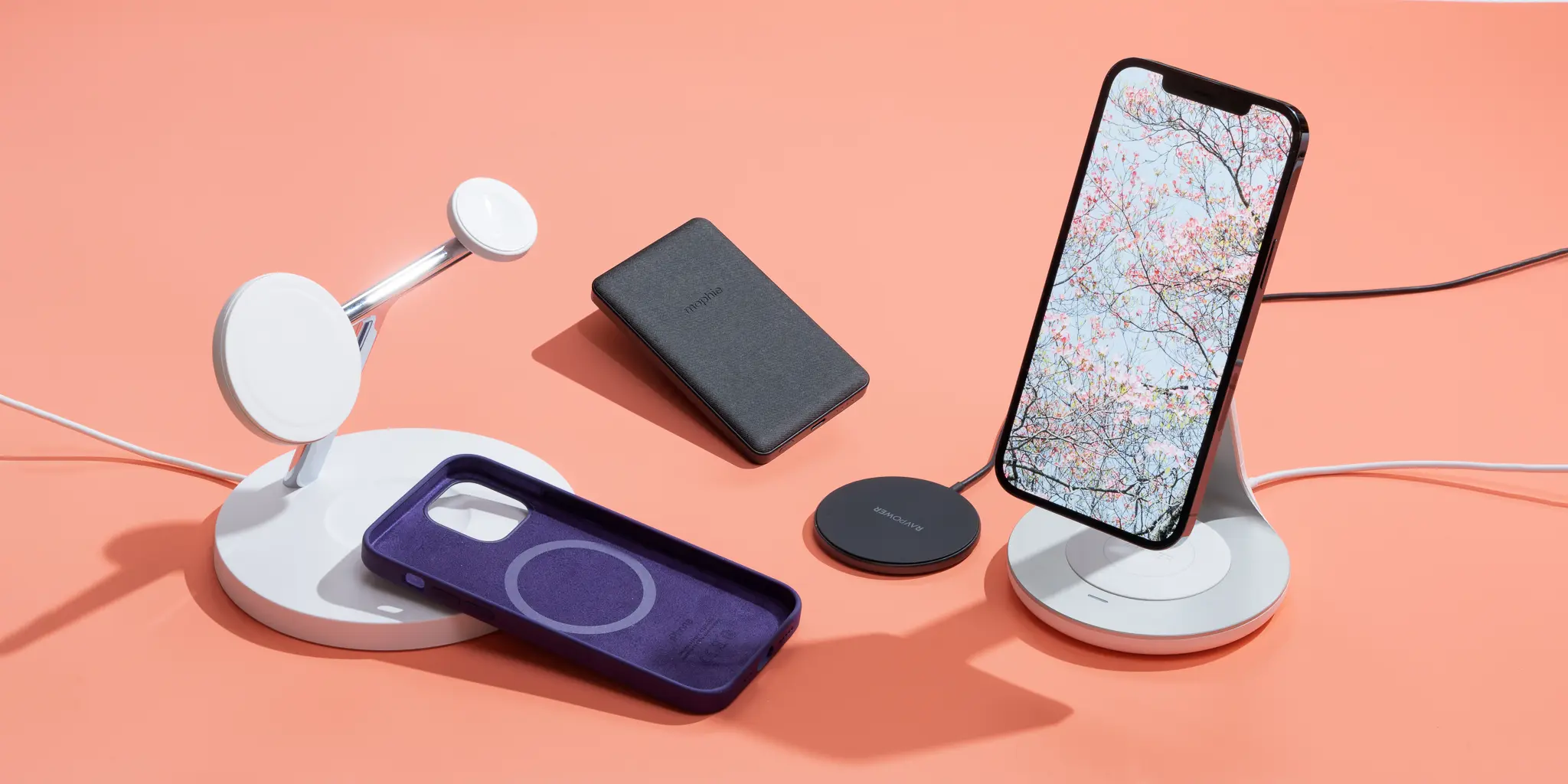
Instead of repeating a basic “what is MagSafe?” explainer, this is a 2026 follow-up for iPhone 17 owners who want to build a magnetic setup that actually works. Apple’s current iPhone 17 accessory ecosystem now includes Qi2.2 chargers, magnetic power banks, wallet stands, grips, travel chargers, car mounts, and multi-device docks. The category has matured considerably. So has the number of mediocre accessories competing for your money.
The good news? You don't need all of them.
First, know what your iPhone 17 can actually do
The iPhone 17 supports MagSafe wireless charging up to 25W and Qi2 wireless charging up to 25W with compatible hardware and an appropriate power source. That's a meaningful distinction from the older assumption that every magnetic wireless charger is basically a 15W accessory.
Qi2 also matters because magnetic alignment is no longer exclusively an Apple-branded ecosystem. The newer Qi2 generation gives accessory makers a standardized path toward faster magnetic charging.
Still, don't buy based on the word magnetic alone.
A cheap magnetic puck may stick perfectly and still charge at a lower wattage. Likewise, a 25W-rated charging accessory can be limited by its USB-C power adapter, cable, thermal conditions, or the charger’s certification.
My practical rule is simple:
Budget magnetic accessories: roughly $15–$35
Better daily-use accessories: around $40–$90
Premium Qi2.2 or multi-device chargers: usually $90–$170+
That price spread is large. The experience can be, too.
1. Apple MagSafe Charger: the uncomplicated pick
For pure charging, the official Apple MagSafe Charger remains one of the easiest recommendations for iPhone 17 users.
It isn't exciting. That's partly why it works.
The current lineup includes 1-meter and 2-meter versions, and the charger is built specifically around Apple's magnetic alignment system. Apple also lists it alongside the current iPhone 17 MagSafe ecosystem rather than treating it as a legacy accessory.
The real-world advantage is predictability. Snap the puck into place, connect it to a suitably powerful USB-C adapter, and you're done.
Best for: bedside charging, desks, and anyone who doesn't want another oversized dock.
One small annoyance: the cable and puck aren't as flexible as some people expect. If your outlet is tucked behind furniture, the 2-meter version is worth considering.
2. A Qi2.2 3-in-1 charger is the better desk upgrade
If you charge an iPhone, Apple Watch, and AirPods every night, three separate cables get old fast.
The newer Belkin UltraCharge Pro 3-in-1 Magnetic Charging Dock is part of Apple's current accessory lineup, while Apple also lists options from mophie, Nimble, Zens, and Anker across its magnetic charging category.
For shoppers specifically chasing the newer Qi2.2 generation, ESR's 2026 lineup includes a CryoBoost 3-in-1 Magnetic Charging Station (25W, Qi2.2) at about $100 at the time of writing, depending on market and promotions. ESR claims active thermal management as part of its design, which is useful because wireless charging heat isn't just a theoretical concern when a phone sits on a charger for hours.
Here's the catch.
A 3-in-1 charger makes the most sense if you actually charge three devices. Buying a $150 station to charge only an iPhone is a very efficient way to create expensive bedside furniture.
3. Belkin BoostCharge Pro 5K: for battery anxiety without maximum bulk
Magnetic battery packs are one of those accessories that sound better on paper until you carry one all day.
Capacity adds weight. No way around it.
Apple's current MagSafe accessory catalog includes the Belkin BoostCharge Pro Magnetic Power Bank 5K, along with larger 10K-class options.
For many iPhone 17 users, a 5,000mAh pack is the sweet spot. It isn't meant to replace a wall charger. It's there for the afternoon when navigation, 5G, camera use, and a few hours of screen time have pushed your battery into uncomfortable territory.
I'd choose a slim 5K model for daily carry and step up to 10K only for travel or unusually long days.
Remember that a battery pack's rated cell capacity doesn't translate into the same number of usable milliamp-hours delivered to the phone. Voltage conversion, wireless charging losses, and heat all take a bite.
Physics wins again.
4. MOFT Snap Field MagSafe Wallet Stand: carry less stuff
Wallet accessories are convenient right up until you lose one.
That's why the best magnetic wallet isn't necessarily the one that holds the most cards. It's the one that stays attached, remains reasonably slim, and doesn't force you to wrestle with it every time you want to use your phone.
Apple currently lists the MOFT Snap Field MagSafe Wallet Stand among its iPhone 17-compatible magnetic accessories. It combines card storage with a stand function, which makes it more versatile than a basic wallet.
ESR also sells magnetic wallet stands and lists some current models in the $20–$30 range. Its catalog claims magnetic hold strengths up to 1,500g for certain products, though that specification applies to the manufacturer's own tested lineup rather than every MagSafe wallet on the market.
My preference: keep two or three cards in a wallet, not five.
Once you stuff a magnetic wallet to capacity, the elegant “phone plus wallet” idea starts getting clumsy.
5. PopSockets grips make large iPhones less awkward
Big-screen phones are fantastic until you're lying in bed trying to reach the opposite corner of the display one-handed.
Then gravity enters the chat.
Apple's current catalog includes both the PopSockets Kick-Out Grip & Stand and Low-Pro Grip & Stand, designed to work with MagSafe-compatible iPhones.
The advantage over an adhesive grip is obvious: remove it when you want to charge or mount the phone.
That modularity is underrated.
For someone who watches videos, reads, or uses FaceTime frequently, a grip that doubles as a kickstand can be more useful than another charger. Just don't expect it to be as flat in a pocket as a bare case.
6. Get a proper magnetic car mount, not a random vent clip
A car mount is where weak magnets become genuinely irritating.
The phone stays put at a red light. You hit a pothole. Suddenly, it doesn't.
Apple currently lists options including a mophie Magnetic Wireless Charging Car Vent Mount, while its broader accessory catalog also includes Belkin and Scosche magnetic mounting products.
For navigation, I'd prioritize three things:
A mount designed for the weight of a modern iPhone 17.
Active charging if you regularly run Maps or GPS apps.
A mounting position that doesn't block controls or your view.
Vent mounts are convenient but can be awkward in cars with shallow, angled, or weak vents. A dash mount may be the better choice even though installation takes more effort.
That extra five minutes can save you months of annoyance.
7. Twelve South ButterFly SE is the travel-friendly splurge
Hotel rooms are where cable management goes to die.
You arrive with an iPhone, Apple Watch, AirPods, USB-C laptop, and a collection of chargers that somehow seemed reasonable when you packed them.
The Twelve South ButterFly SE 2-in-1 USB-C Qi2.2 Travel Charger appears in Apple's current MagSafe accessory catalog, positioning it as a compact option for users who want fewer charging bricks in their travel bag.
This is a niche product. That's fine.
It makes more sense for frequent travelers than for someone whose iPhone spends every night on the same bedside table. Compact travel chargers also tend to cost more than their raw charging hardware would suggest because you're paying for folding mechanisms, portability, and multi-device convenience.
Worth it for the right person. Not automatically worth it.
8. Don't overlook the case itself
A surprisingly common mistake is buying a high-quality magnetic accessory and attaching it to a case with a weak or poorly aligned magnetic ring.
The result? Blame the charger. Blame the wallet. Blame the car mount.
Sometimes the case is the problem.
Apple's iPhone 17 accessory selection includes official silicone and clear MagSafe cases, plus options from Tech21 and Beats, including rugged and kickstand cases with MagSafe support.
A good case should do two things well: protect the phone and preserve reliable magnetic alignment.
Don't assume “wireless charging compatible” means the same thing as a properly engineered MagSafe or Qi2-compatible magnetic case. It often doesn't.
How I'd build an iPhone 17 MagSafe setup
There are dozens of combinations. These three make the most practical sense.
Setup | Accessories | Approximate Spend |
|---|---|---|
Minimal everyday carry | MagSafe case + Apple MagSafe Charger + magnetic grip | $70–$130 |
Power-user desk | MagSafe case + 25W Qi2/Qi2.2 3-in-1 charger + 5K battery | $160–$280 |
Frequent traveler | MagSafe case + compact 2-in-1 travel charger + slim 5K power bank | $180–$300 |
Don't build the collection all at once.
Start with the accessory that fixes an actual irritation. Battery running low? Buy the power bank. Too many cables? Get the 3-in-1 charger. Dropping your phone while reading? Add a grip.
That's how you avoid ending up with a drawer full of magnetic gadgets you barely use.
FAQs
Do all MagSafe accessories charge an iPhone 17 at 25W?
No. Magnetic attachment and charging speed are separate issues. The iPhone 17 supports MagSafe and Qi2 wireless charging up to 25W with compatible equipment, but the accessory, certification, and power source all matter.
Is Qi2 better than MagSafe?
Not automatically. Qi2 is an industry standard that supports magnetic alignment, and newer Qi2.2 accessories can provide high-speed charging compatibility. Apple's own MagSafe system remains tightly integrated with the iPhone ecosystem. The better choice depends on the specific charger, not just the logo on the box.
Can I use a magnetic wallet with a thick iPhone 17 case?
Sometimes, but thickness and weak magnet alignment can reduce holding strength. A case specifically designed for MagSafe or magnetic Qi2 accessories is the safer choice.
Are 10,000mAh magnetic power banks worth it?
For travel, yes. For everyday pockets, often no. A 5K battery is easier to carry and is usually enough for a meaningful emergency top-up, while a 10K pack adds runtime at the cost of weight and bulk.
Will a PopSockets-style MagSafe grip interfere with charging?
It has to be removed before attaching most magnetic chargers. That's the advantage of the magnetic design, though: you can swap from grip to charger in seconds.
The smartest MagSafe accessory is the one you'll keep using
The iPhone 17's 25W MagSafe and Qi2 support has made the accessory market more interesting, but it has also made shopping a little noisier. There are now excellent chargers, clever travel stations, slim batteries, grips, wallets, and mounts—and plenty of products that duplicate something you already own.
Pick the friction first.
If charging cables are driving you crazy, buy a proper Qi2 or Qi2.2 dock. If your battery disappears during navigation, add a compact magnetic power bank. If you keep dropping the phone, skip another charger and get a removable grip.
Then build from there.
By the time the next accessory catches your eye, you'll know whether it solves a problem—or just has a strong magnet and good product photos.
iPhone 17 accessories
MagSafe accessories 2026
best iPhone gadgets
MagSafe wallet
iPhone charging accessories
Apple accessories
Found this helpful? Share it!