Best iPhone Apps 2026 – Top Useful iOS Apps You Need
354 views
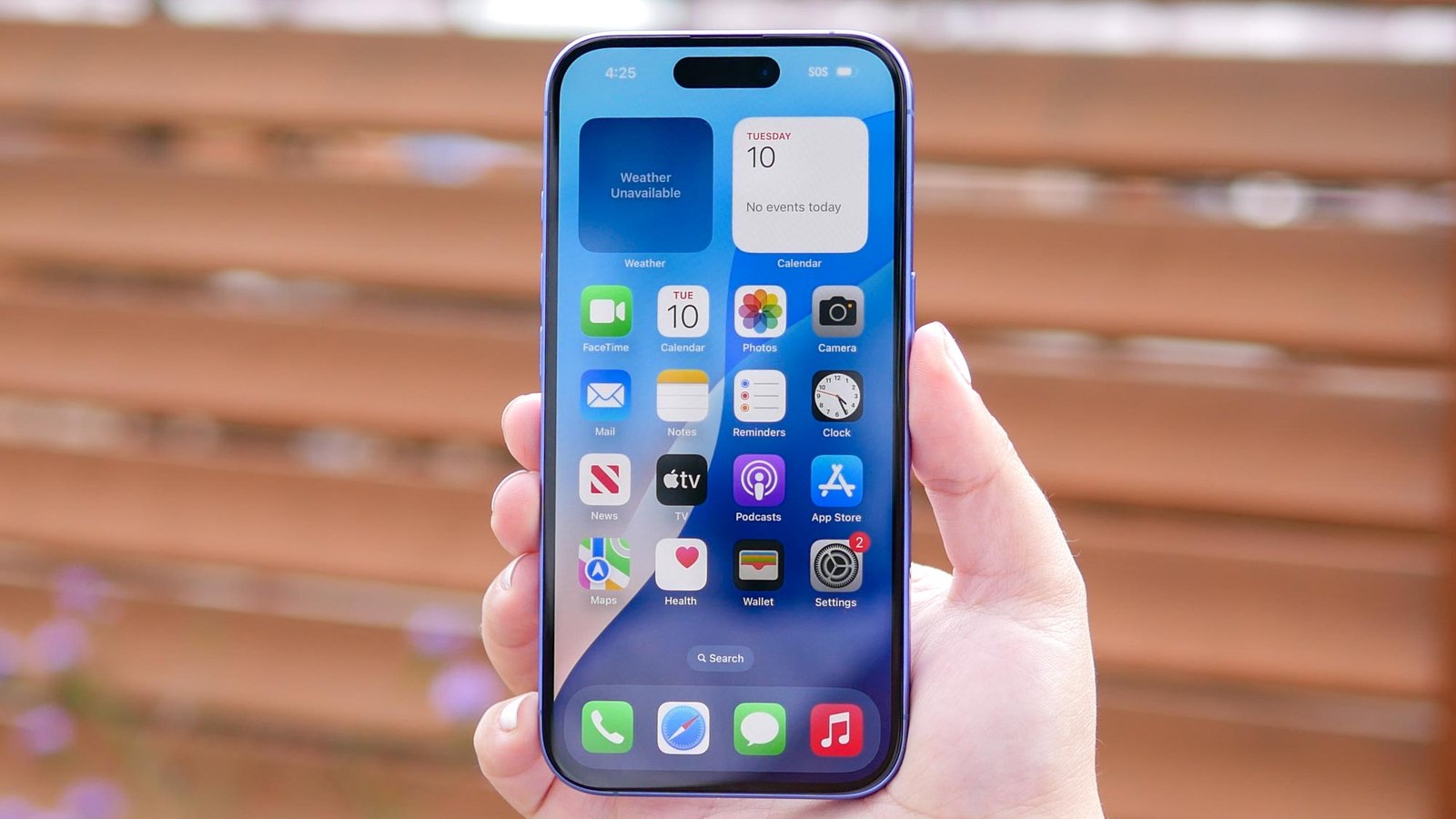
Your iPhone can have a $1,000-plus processor, a superb OLED display, excellent cameras, and still feel strangely ordinary because the software sitting on your Home Screen is doing almost nothing interesting.
That’s the frustrating part.
A lot of people download apps during a moment of enthusiasm, use them twice, then leave them buried in the App Library. Others go in the opposite direction and install five apps that all manage tasks, edit photos, or summarize text. Battery drain, notification clutter, subscription fatigue. Not ideal.
For PhoneTrend readers, this guide takes a different route. The site already covers hidden apps, productivity apps, cloud storage, mobile gaming, and practical phone tips, so this isn't another generic "download Notion and Spotify" list. Instead, these are the best iPhone apps in 2026 for getting more out of iOS itself: communication, security, travel, creativity, AI, and the annoying little jobs that a good smartphone should handle without drama.
Some are free. Some aren't.
A few are built into iOS already, which is exactly why many people overlook them.
The best iPhone apps for 2026 at a glance
App | Best for | Why it earns space |
|---|---|---|
ChatGPT | AI assistance | Useful for research, writing, voice, and everyday questions |
1Password | Password security | Passkeys, shared vaults, and cross-platform support |
Canva | Quick design | Social posts, presentations, documents, and visual editing |
Procreate Pocket | Mobile creativity | Serious illustration on an iPhone |
Flighty | Frequent travel | Detailed flight tracking and disruption information |
Apple Maps | Navigation | Offline maps and deep iPhone integration |
Apple Invites | Events | Easy invitation creation for iCloud+ users |
Tiimo | Daily planning | Visual timelines and less stressful scheduling |
Wipr 2 | Safari browsing | Straightforward blocking of ads and trackers |
Apple Sports | Live scores | Fast sports information without a bloated interface |
App prices and subscriptions can vary by country or storefront, so the smartest move is to check the App Store page before tapping a trial button. Apple supports a wide range of regional price points, and subscription apps can also change their plans over time.
1. ChatGPT — the AI app that has become genuinely practical
AI apps are everywhere now. The problem is that plenty of them feel impressive for three minutes and pointless by Friday.
ChatGPT is different because the use cases stack up.
You can ask it to explain an unfamiliar iPhone setting, summarize a long document, brainstorm a travel plan, work through a difficult concept, or help rewrite a message before you send it. Voice interaction is particularly useful when typing on a phone would be awkward.
There is one caveat: don't treat any AI answer as automatically correct. For current prices, travel rules, technical specifications, or anything that can change, verify the result.
Still, as a general-purpose tool, it earns its place. The App Store itself currently highlights ChatGPT among prominent iPhone apps, reflecting just how central AI assistants have become to mobile workflows.
Best for: People who want one flexible assistant instead of a drawer full of single-purpose AI apps.
2. 1Password — because memorizing passwords is not a security strategy
Passwords are boring right up until an account gets compromised.
1Password is one of those apps that feels slightly unnecessary during the first setup and indispensable afterward. It stores credentials, generates strong passwords, supports passkeys, and can organize sensitive information into vaults.
The real benefit is cross-platform consistency. An iPhone-only password setup can become irritating the moment you need the same account on Windows, Android, or a work computer.
Here's the practical friction: don't import everything and assume the job is finished. Spend a few minutes deleting duplicate logins and updating weak passwords. It's tedious once. Much less tedious than trying to figure out which of your six old passwords works.
3. Canva — the quickest way to make your iPhone useful for design
Canva has moved well beyond simple social media graphics.
In 2026, it can be used for presentations, CVs, short-form video, photo editing, invitations, and branded content. Apple currently features Canva among its recommended apps for the year, specifically highlighting its broad collection of templates and customization tools.
That doesn't mean every design should happen on a phone. Complex projects still benefit from a larger screen.
For quick work, though? It saves time.
Need a YouTube thumbnail adjusted while you're away from your computer? Canva. Need a clean Instagram Story from three camera-roll photos? Canva again. The templates can feel repetitive if you use them without modification, so change the typography, spacing, and imagery rather than publishing the first thing the app generates.
4. Procreate Pocket — serious creativity in a tiny screen
The iPhone version of Procreate isn't trying to replace a large drawing tablet.
That's fine.
Procreate Pocket works best for sketches, quick illustrations, touch-ups, and ideas that would otherwise disappear into a notebook. The app remains one of the notable premium iPhone creative options, and Apple's App Store has also listed Procreate Pocket among leading paid iPhone apps.
The small display is the limitation. Precise work can become fiddly, particularly on non-Max iPhones.
But that constraint is also part of the appeal. Open it, draw, save, move on.
No algorithm demanding that you post something afterward.
5. Flighty — for people who fly often enough to hate vague updates
Airline apps are essential. They're also frequently clunky.
Flighty approaches the problem from another angle by focusing heavily on flight information and notifications. For frequent travelers, the value is in having a dedicated view of delays, aircraft movement, connections, and schedule changes rather than digging through an airline's promotional clutter.
It's especially useful when a flight day starts going sideways.
A gate change. A delay that keeps increasing by 10 minutes. A missed connection risk. These are the moments when a dedicated flight app makes more sense than a generic travel folder.
Flighty has consistently appeared in current iPhone app recommendations as a strong option for frequent flyers.
6. Apple Maps — yes, check the app already on your phone
Not every "best iPhone app" needs another download.
Apple Maps has become far more capable than the version many longtime iPhone users remember. Apple now lists features including natural-language guidance and offline maps, with integration across iPhone, Apple Watch, iPad, and Mac.
A setup worth doing
Search for a place you'll need without reliable mobile data.
Download the surrounding offline map area.
Test it before the trip instead of discovering the limitation at an airport.
That last part matters. Offline maps aren't useful if you forget to download them until you're already offline.
For Apple-heavy households, the handoff between devices and deep system integration make Maps particularly convenient.
7. Tiimo — a planner for people tired of aggressive productivity apps
Most task managers assume you want more density.
More lists. More priorities. More colored labels.
Tiimo takes a calmer visual approach, using timelines and visual planning to make schedules easier to process. Apple selected Tiimo as its 2025 iPhone App of the Year and continues to feature it in its 2026 app recommendations.
That distinction is worth understanding. Tiimo isn't simply another productivity app, which helps this recommendation avoid overlapping with PhoneTrend's existing productivity guide.
Its strength is routine.
If a traditional to-do list turns into a depressing inventory of unfinished work, a visual timeline can be easier to live with. Less intimidating. Sometimes that's enough to change whether you actually use it.
8. Apple Invites — surprisingly useful for small events
Apple Invites is one of the newer examples of Apple expanding beyond the basic utilities bundled with iOS.
The app lets users create event invitations, collect RSVPs, and incorporate photos, Apple Music, Maps, and other Apple services. Creating events requires iCloud+, although guests don't necessarily need to be Apple users just to participate.
It won't replace dedicated event platforms for a 500-person conference.
For a birthday, dinner, weekend trip, or family gathering, though, it removes a surprising amount of message-thread chaos.
One person changes the location. Another asks for the address. Someone else wants the playlist.
Now there is one place for it.
9. Wipr 2 — clean up Safari without turning browsing into a project
Mobile websites can be exhausting.
Cookie prompts. Tracking scripts. Auto-playing video. Ads shifting the page while you're trying to tap something.
Wipr 2 takes a simple approach to Safari content blocking. The broader point isn't that every website should lose every ad; independent publishers need revenue. It's that an iPhone browser shouldn't feel like it is fighting you.
Wipr 2 is also notable because it follows a less subscription-heavy model than many modern apps. That alone will appeal to users who are tired of turning every small utility into another monthly charge. Apple's recent App Store charts have included Wipr 2 among notable paid iPhone software.
Small tip: After installing any Safari content blocker, check that its extension is enabled in iOS settings. Installing the app alone doesn't always mean blocking is active.
10. Apple Sports — fast scores, fewer distractions
Sports apps often try to become social networks, betting hubs, news feeds, video platforms, and shopping catalogs all at once.
Apple Sports is refreshingly narrow.
Apple describes it as a fast way to follow scores, live play-by-play, statistics, and favorite teams, including Lock Screen updates.
That focused approach makes it a good example of a 2026 app worth using instead of merely installing.
Open app. Check score. Leave.
Done.
Don't turn your iPhone into an app graveyard
The App Store has millions of apps, and Apple's own curated 2026 list alone demonstrates how quickly new tools appear.
More choice isn't always better.
A practical setup is to choose one app for each real job you repeatedly do:
One AI assistant
One password manager
One planning system
One creative tool
One travel tool
Then give each app a proper trial.
Use it for a week. Adjust notifications. Learn one or two advanced features. If it doesn't reduce friction, delete it.
Harsh? Maybe.
Your Home Screen will survive.
FAQ: Best iPhone Apps in 2026
What are the most useful iPhone apps to install in 2026?
For a broad mix of everyday usefulness, start with ChatGPT, 1Password, Canva, Apple Maps, and a planner such as Tiimo. The right combination depends more on your habits than on App Store rankings.
Are paid iPhone apps worth buying?
Sometimes. Paid apps can be worthwhile when they solve a repeated problem without ads or a recurring subscription. Procreate Pocket and Wipr 2 are good examples of the type of specialized software that can justify a one-time purchase, though current prices should always be checked in your regional App Store.
Do I need a separate password manager on iPhone?
Not necessarily. Apple's built-in password tools are useful, especially for users who stay entirely within Apple's ecosystem. A dedicated option such as 1Password becomes more attractive if you regularly switch between Apple, Windows, Android, or shared family and work accounts.
Which iPhone apps are best for travel?
Apple Maps is useful for navigation and offline maps, while Flighty is a strong choice for travelers who want detailed flight information. Keep the official airline app installed as well; third-party tracking doesn't replace check-in, boarding passes, or airline-specific support.
How can I find new iPhone apps without downloading junk?
Check Apple's editorial collections, read recent reviews critically, inspect the privacy information and subscription terms, and ask one simple question: what problem will this app solve for me next week? If you can't answer that, skip the download.
The best iPhone setup for 2026 isn't the one with the most apps. It's the one where every icon earns its place. Start by replacing one frustrating app this week—or delete three that you haven't opened in a month—and let your iPhone become a little less cluttered and a lot more useful.
best iPhone apps 2026
useful iOS apps
top iPhone apps
best apps for iPhone
iOS apps 2026
Found this helpful? Share it!